Printing and Safety upgrades of my Anet A8
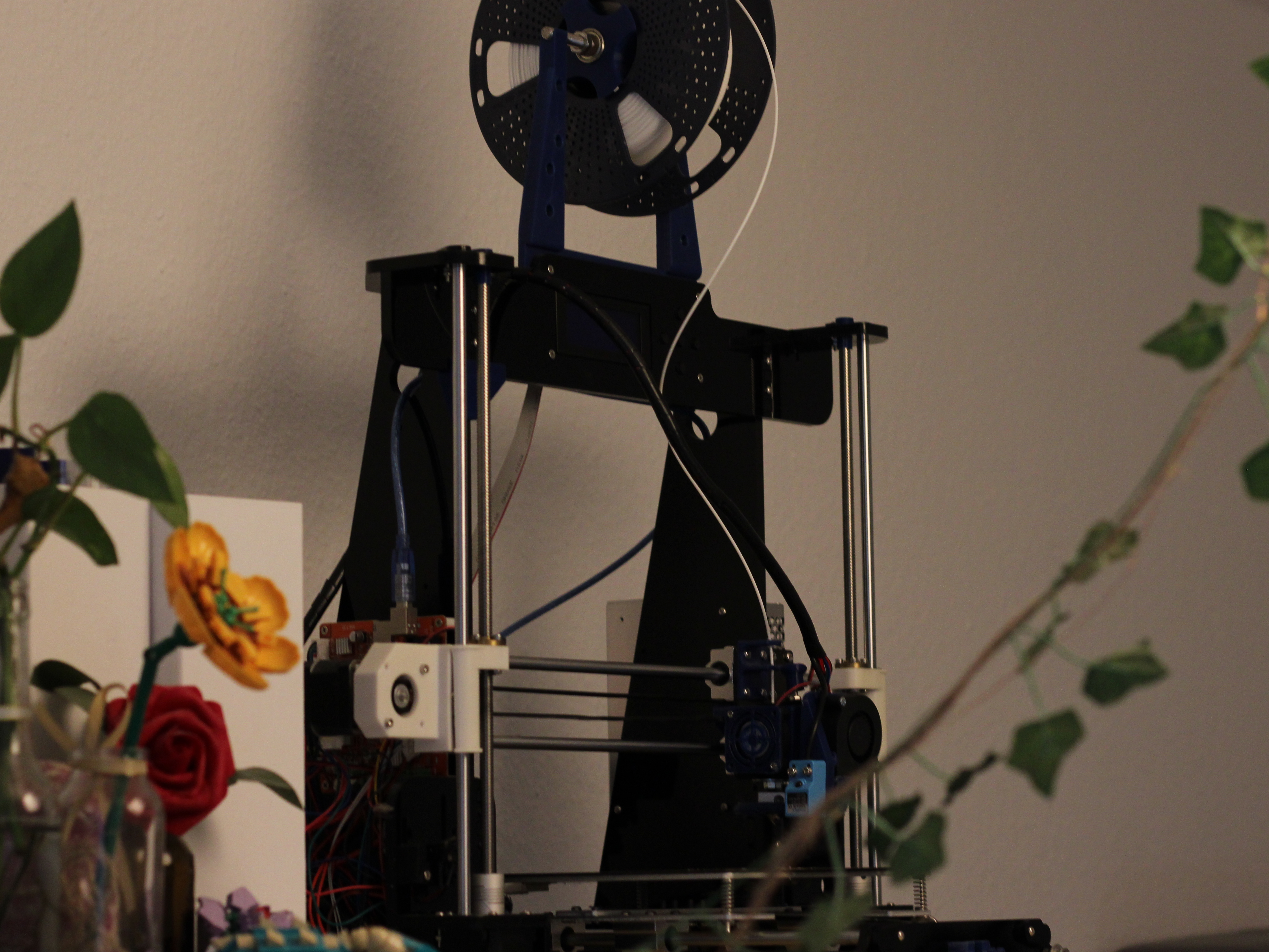
Around 8 years ago, I bought an Anet A8 3D printer from China. It was a kit that you had to assemble yourself, which made it one of the cheapest printers available at the time. I was a student in school and wanted to spend as little as possible. Still, it was very expensive for me. I think it cost around 200 Euros back then, but I’m not entirely sure. It shipped from China and took around 4 weeks to arrive, and I couldn’t wait to build the printer. So, on the day it arrived, I started building it using YouTube tutorials ( https://www.youtube.com/watch?v=J8tX-Kfb1og ), and after around 10 hours of building, it was ready!
Over time, I printed many improvements for the printer itself and also changed the software. So, let’s start with the upgrades.
Center nozzle fan

One of my first prints was this center nozzle fan. It helps distribute the airflow
more evenly from all sides. The standard fan duct only blows air from one side,
which I think can cause the extruded filament to be pushed to one side—possibly
especially problematic for overhangs. However, since it was one of my first prints,
I don’t have much to compare it with. One important thing to keep in mind is that
this fan cools the extruder much more than the standard one.
I had some issues with the Marlin firmware and this circular fan. After the first
layer, when the fan starts running, it cooled the extruder so much that Marlin
threw a temperature runaway error. This caused the printer to stop during
the print.
See on Thingiverse
T-corners

One of the first things I did was print and add these T corners to my printer.
They help stabilize the printer frame and reduce vibrations. According to the
author on Thingiverse, this helps reduce Z-wobble, which causes small shifts
between layers and can be seen on the finished print. You can just print the
corners and attach them to the printer—they hold their own weight.
See on Thingiverse
Z-rod plugs
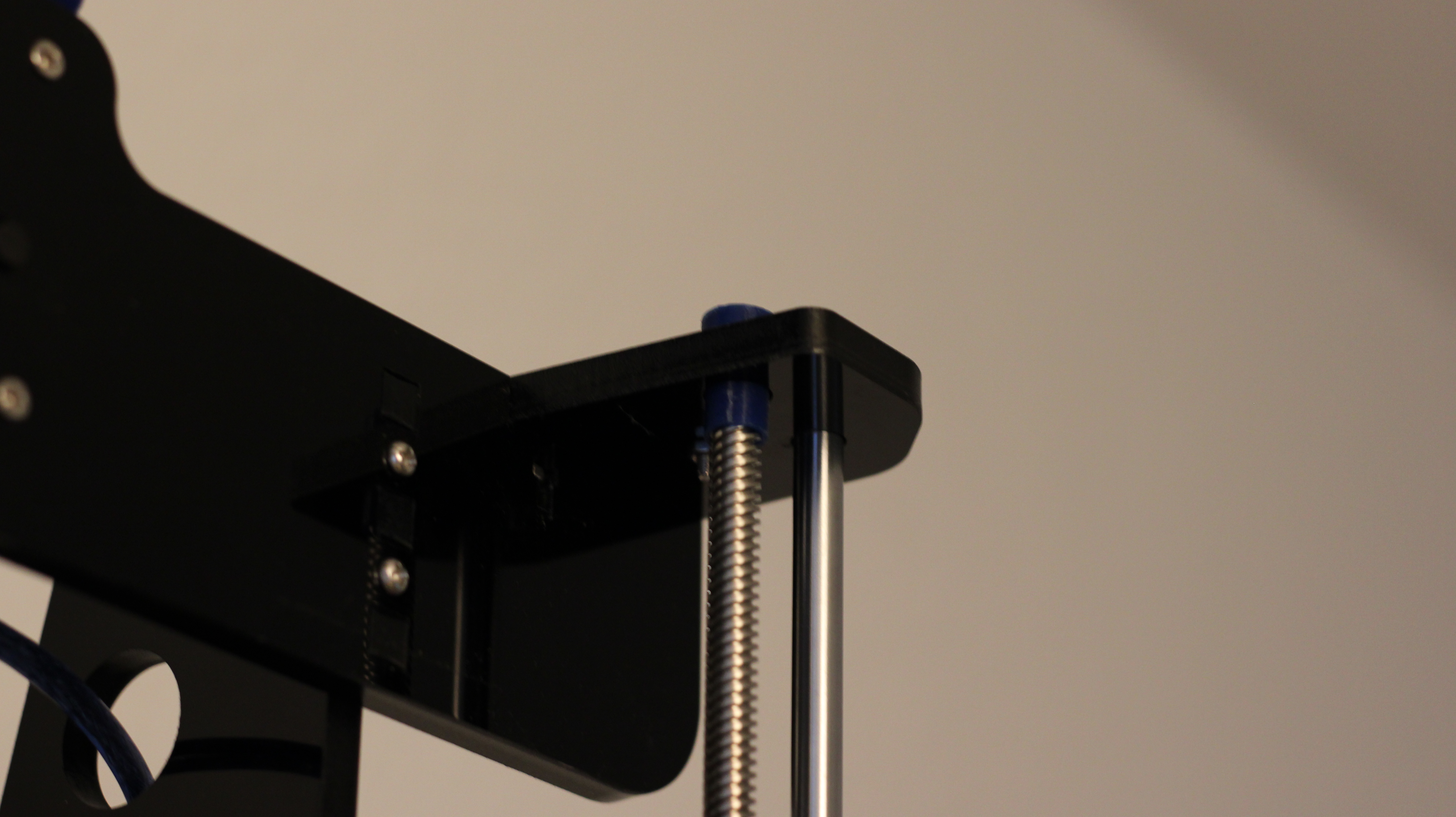
Another early upgrade was adding plugs to the Z-rods of the printer. They help
keep the rods straight and should reduce vibration and Z-wobble. I couldn’t find
the exact model I used, but here is one that is very similar:
See on Thingiverse
Spool holder

This spool holder supports the filament so it can roll off more easily. It has a
cone shape that makes it suitable for different filament roll diameters. It also
has slots for bearings that improve the rolling. You just have to be careful not
to tighten the nuts too much, so the bearings can still roll freely. This makes
the filament roll much more smoothly compared to just having it on the screw rod
without a holder. I’m not sure if it affects print quality. Maybe it results in a
more consistent filament flow, but it definitely looks more satisfying when
printing. :)
See on Thingiverse
Filament holder

The spool holder mentioned above can then be set on this filament holder. It
mounts behind the display of the Anet A8 and allows the filament to be fed from
the top. I’m not sure if this improves print quality, but it definitely makes the
printer more space-efficient.
See on Thingiverse
Auto bed leveling sensor
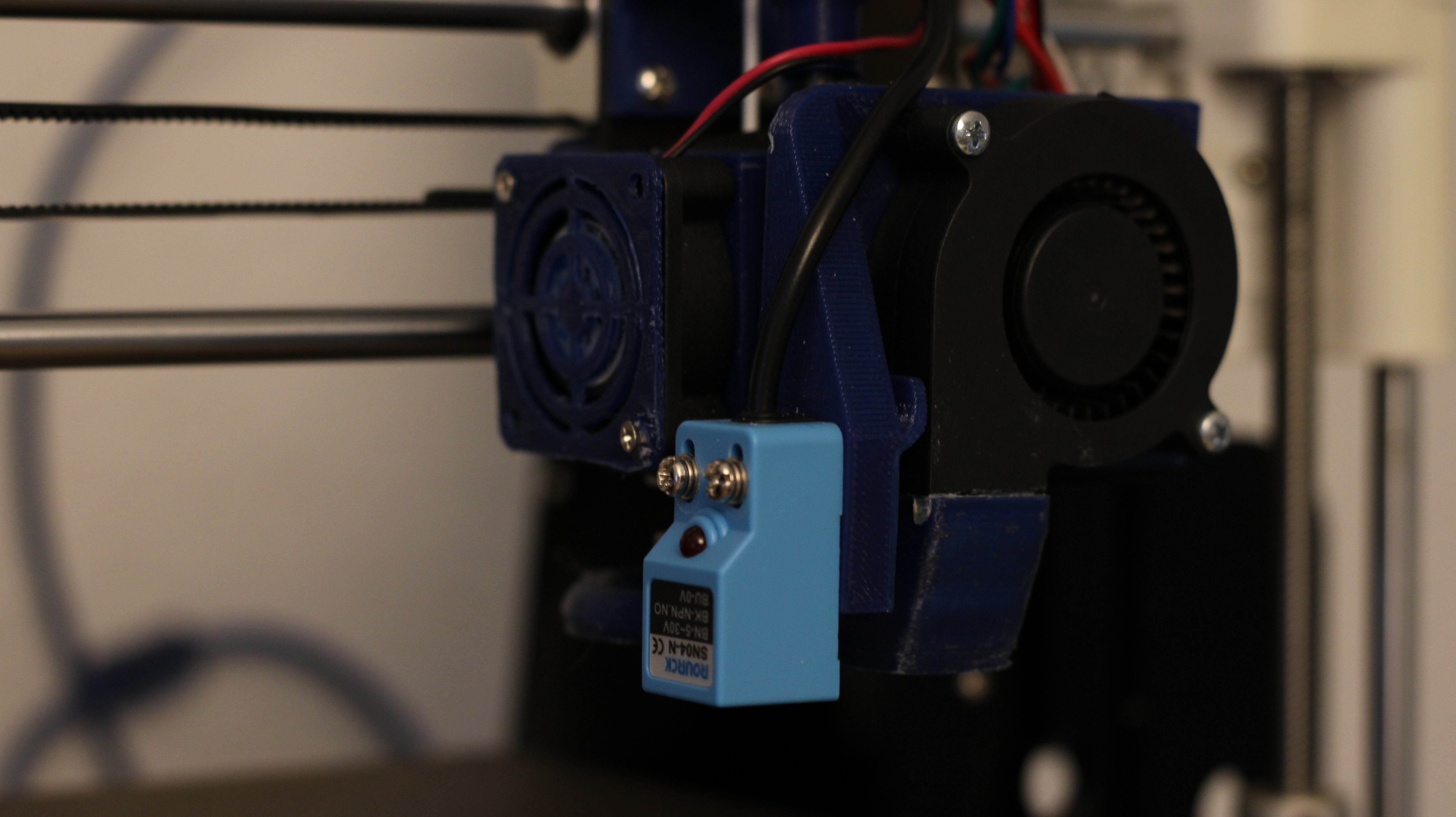
Recently, I also added an auto bed leveling sensor to the printer. It measures the distance from the sensor to the print bed, and when configured correctly, it can calculate the distance between the nozzle and the bed. My setup checks the distance at 9 different points on the bed and automatically adjusts the Z-axis during printing to maintain the correct nozzle height. I use this together with OctoPrint, so I can also see a visualization of the bed measurements.
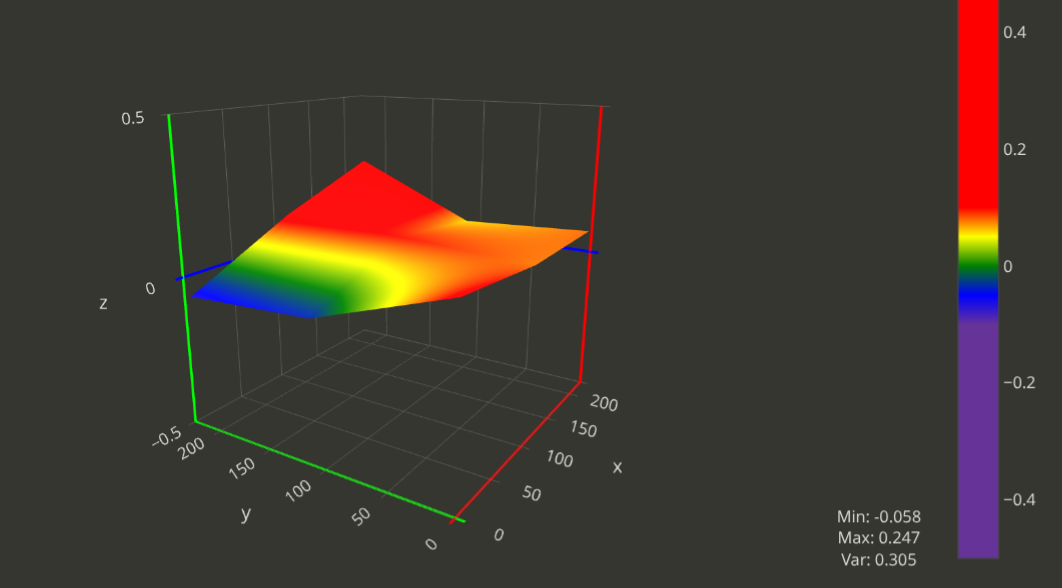
Of course, the bed in the image appears much more warped than it actually is. This is because the Z-axis is scaled very finely to better visualize the high and low points.
Y-Belt tensioner

The tension of the Y-belt is not easy to adjust with the stock Anet A8. So, I
added a Y-belt tensioner that helps tighten the belt. This can help mitigate
Z-wobble by better coupling the motor movement to the bed movement, reducing
the chances of inaccuracies.
See on Thingiverse
Marlin

One of the most important, if not the most important, safety upgrades you should
make to an Anet A8 is flashing a new version of Marlin firmware onto the board.
The stock board comes with a version of Marlin that has temperature runaway
protection disabled. It allows the printer to detect if the temperature sensor
or heating element is no longer properly connected, something that can lead to
serious safety risks.
Additionally, flashing a custom-configured version of Marlin is essential for
enabling features like the auto bed leveling sensor and many other enhancements
that the stock firmware doesn’t support.
Website of Marlin firmware
OctoPrint
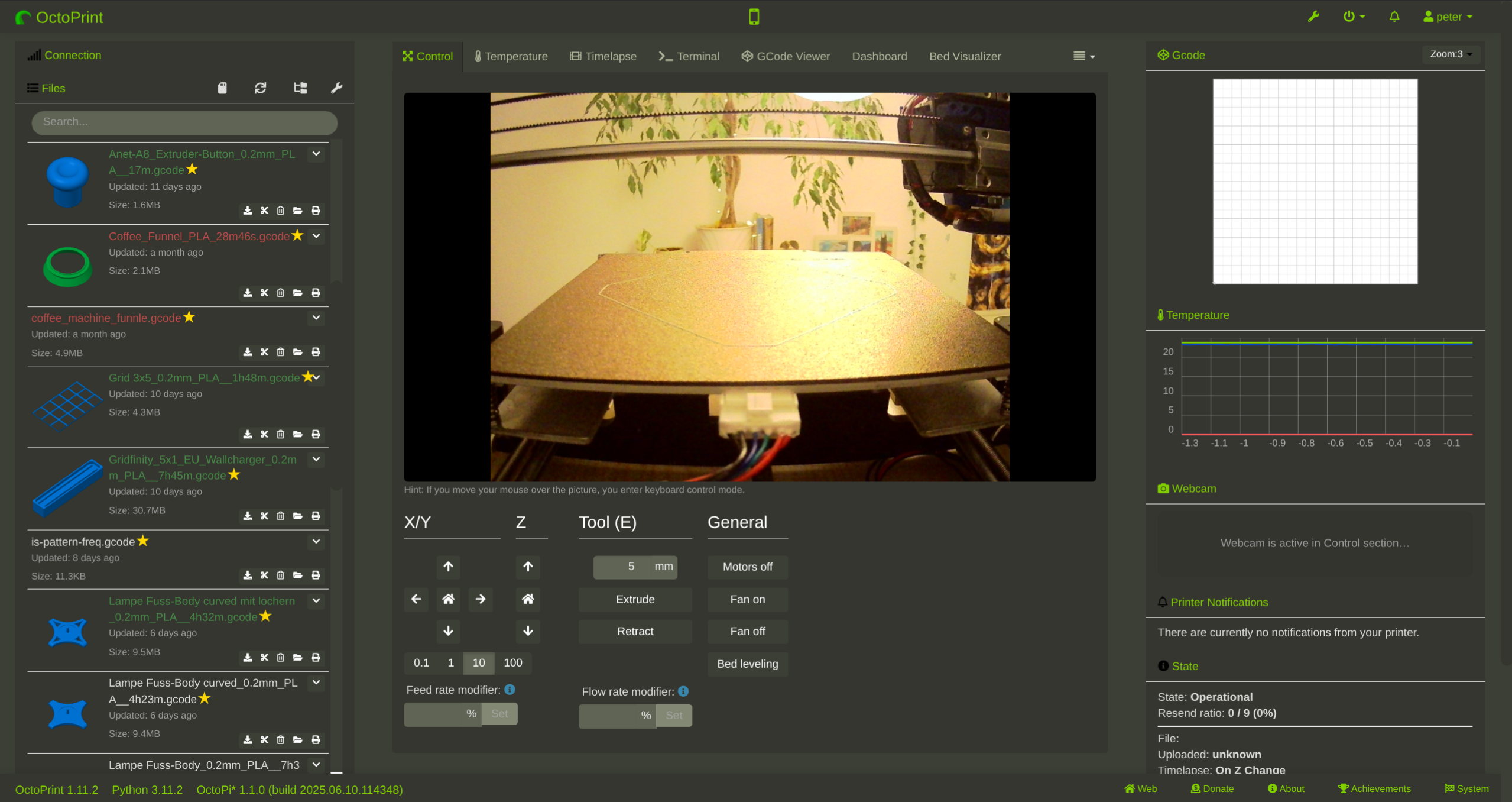
A tool that has made using my 3D printer much easier is OctoPrint. It’s a piece
of software that runs on Linux and is mostly installed on a separate mini
computer. I used a special OctoPrint image called OctoPi, which is specifically
designed for Raspberry Pi devices.
OctoPrint allows you to upload files, start and monitor prints, and much more.
It provides a web interface that you can access from within your local network,
giving you full control over your printer. The printer needs to be connected to
the OctoPrint device via a USB cable. This setup makes the whole printing process
much easier compared to transferring GCODE files to the printer via SD card every
time.
OctoPrint also supports a wide range of community-created plugins that expand its
functionality even further. For example, a plugin can visualize the nozzle-to-bed
distance measurements from the auto bed leveling sensor, and another plugin
allows you to flash new firmware directly through the web interface.
Website of OctoPrint
You should also check out the website of Gina Häußge, the creator of OctoPrint.
She has a very interesting blog! And if you’re using OctoPrint, consider
supporting her and the project with a donation.
@foosel (Creator of OctoPrint)